Recipes for recording simultaneously from analog and digital sources
Recording a short segment from an analog channel and a digital line
Read 200 milliseconds worth of data from channel “ai0” and line “di0” of the same device with a sampling frequency of 50 kilohertz and display the results using matplotlib:
from picodaq import *
import matplotlib.pyplot as plt

with AnalogIn(channel=0, rate=50*kHz) as ai:
    with DigitalIn(line=0, rate=50*kHz) as di:
        adata = ai.read(200*ms)
        ddata = di.read(200*ms)

plt.plot(adata)
plt.plot(ddata)
plt.xlabel('Sample #')
plt.ylabel('Voltage (V) / Binary value')
Even though you call the read(...) functions on the two streams
one after the other, the data are in fact sampled simultaneously. (The
library performs the necessary buffering behind the scenes.)
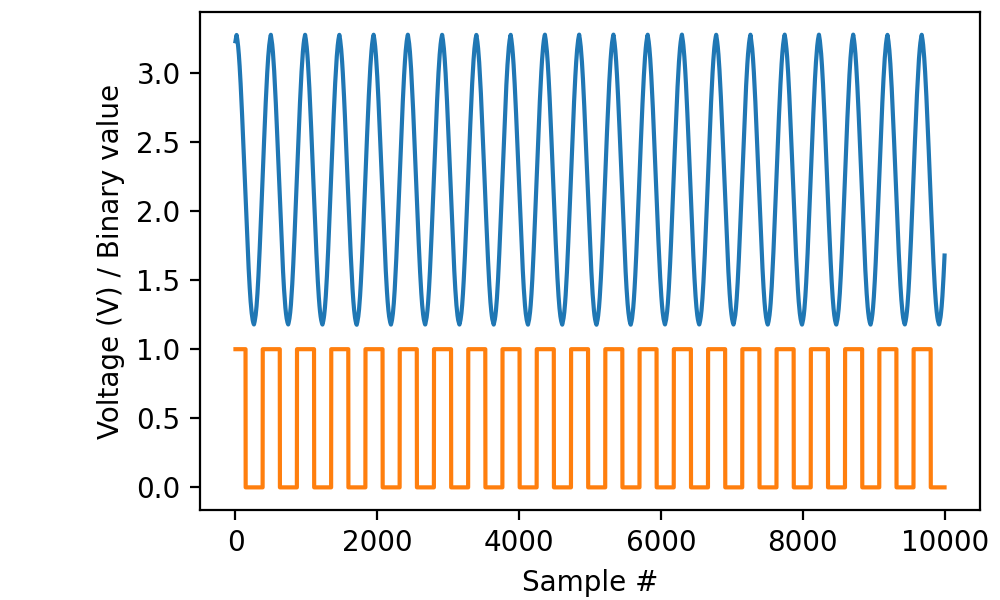
Note the convention that analog sources connect to “channels” whereas
digital sources connect to “lines”. Also note that the sampling rate
for analog and digital must be the same. In fact, as we will see in
the next example, it is OK to specify the rate=... parameter only
in the first stream to be opened and leave it implicit when opening
the other.
Recording more data
When reading multiple segments in sequence, there is no requirement to take equal sips from the analog and digital streams, but doing so makes your code a lot easier to read:
import numpy as np

adata = []
ddata = []
K = 10
with AnalogIn(channel=0, rate=50*kHz) as ai:
    with DigitalIn(line=0) as di:
        for k in range(K):
            adata.append(ai.read(50*ms))
            ddata.append(di.read(50*ms))
adata = np.concatenate(adata, 0)
ddata = np.concatenate(ddata, 0)

plt.plot(adata)
plt.plot(ddata)
plt.xlabel('Sample #')
plt.ylabel('Voltage (V) / Binary value')
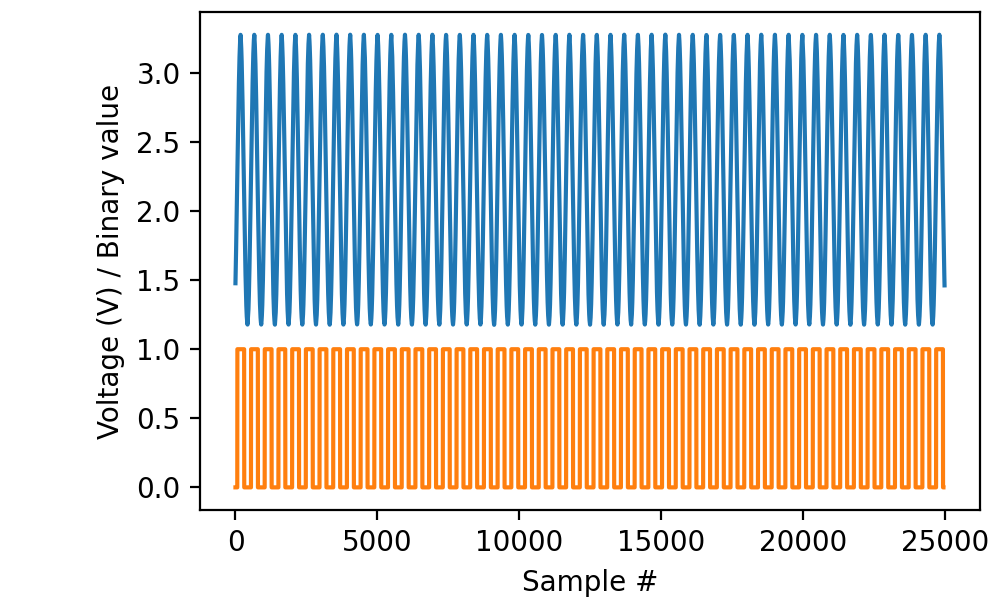
In all cases, sampling starts at the time of the first read(...) call to
either stream.
Retrieving timestamps
Timestamps retrieved from either stream are valid for the other stream, so you could write:
with AnalogIn(channel=0, rate=50*kHz) as ai:
    with DigitalIn(line=0, rate=50*kHz) as di:
        adata, times = ai.read(200*ms, times=True)
        ddata = di.read(200*ms)
and use the times variable when plotting the ddata.
Recording from multiple channels and multiple lines
There are no restrictions as to how many analog channels and digital lines can be read simultaneously, as long as you respect the maximum total throughput of the USB connection. Code like:
with AnalogIn(channels=[0, 1], rate=50*kHz) as ai:
    with DigitalIn(lines=[0, 1], rate=50*kHz) as di:
        adata = ai.read(200*ms)
        ddata = di.read(200*ms)
works as you would expect. Equally, it is OK to use channels with
AnalogIn while using line with DigitalIn or the converse.